Import center

Kartra importer

Import Kartra campaign context with safer review.

Bring pages, funnels, memberships, videos, webinars, checkouts, affiliate notes, and follow-up intent into a private review before launch.

Before and after

See the private review path before starting the Kartra import.

The example keeps the source side generic and shows the Bumpgrade plan side as review checkpoints, not a live transfer.

Before

Kartra source bundle

The page shows source categories Bumpgrade can review while keeping raw platform exports, pasted copy, credentials, and private customer values out of the public UI.

  • Campaign pages
  • Membership and product access
  • Affiliate and follow-up notes

After

Private Bumpgrade review map

Bumpgrade organizes the safe signals into private plan sections, redaction checks, and go-live gates that stay private until the owner approves launch work.

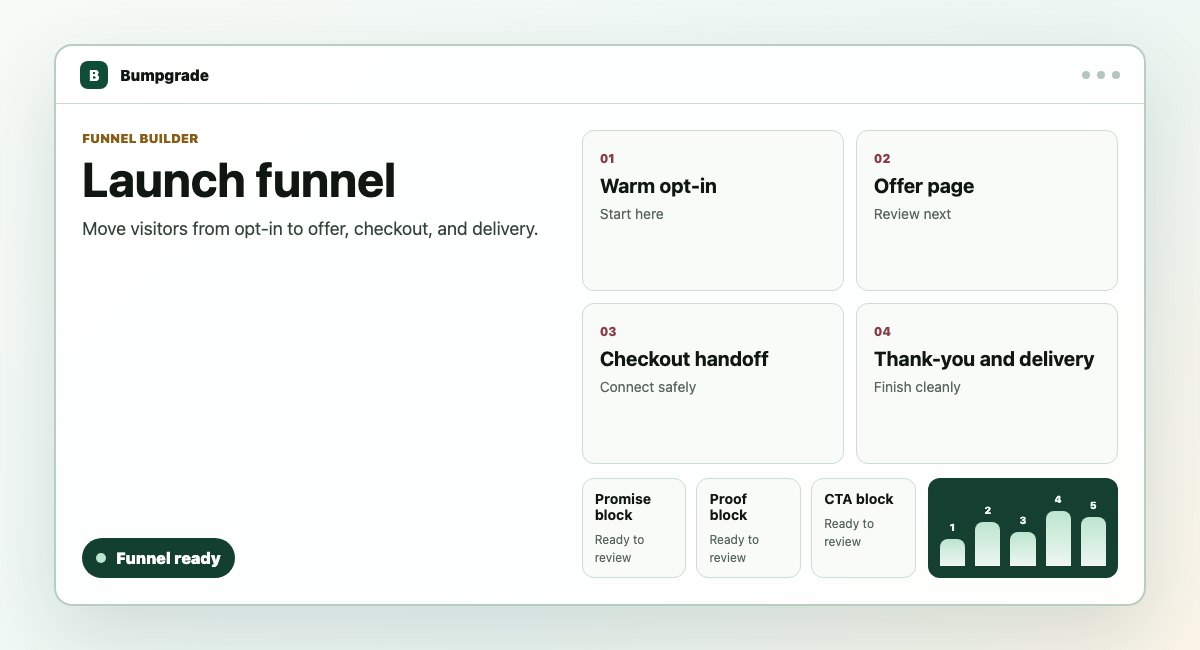
Bumpgrade launch funnel workspace with opt-in, offer, checkout, and delivery steps.
  1. Map
  2. Review
  3. Approve
  • Campaign pages plan section
  • Membership and checkout review checkpoint
  • Safe export analysis
  • No buyer-facing go-live effects
Uses public-safe labels, structure, counts, and review states only.Does not display raw export rows, pasted source copy, credentials, payment data, private subscriber values, or customer identifiers.Shows Bumpgrade private plan, review, and protected path structure without claiming live transfer or buyer-facing changes.

What Bumpgrade looks for

Bring over the parts that shape the launch.

Operators replacing a marketing-suite campaign with a simpler Bumpgrade launch workspace.

Review step

Campaign pages

Map campaign pages, video or webinar references, and offer handoffs.

Bumpgrade createsfunnel, page blocks, asset reference
Review step

Membership and checkout

Capture product access, checkout, affiliate, and follow-up structure.

Bumpgrade createsproduct catalog, checkout offer, sequence outline

Kartra source guide

Bring the pieces Bumpgrade can actually use.

Each item stays private until you approve a go-live step.

Source item

Campaign pages

Campaign page URLs, page exports, video references, webinar references, and offer handoff notes.

Bumpgrade uses it forDrafting the private campaign page order and asset checklist.
Review before savingConfirm which campaign pieces matter before creating the private plan.
Source item

Membership and product access

Membership levels, product descriptions, checkout notes, and access promises.

Bumpgrade uses it forPreparing product-catalog, access, and checkout-offer review sections.
Review before savingReview what should become protected access and what stays reference-only.
Source item

Affiliate and follow-up notes

Affiliate terms, campaign follow-up notes, webinar reminders, and post-purchase messages.

Bumpgrade uses it forCapturing partner and sequence context without sending or creating payable obligations.
Review before savingCheck partner and webinar boundaries before any future live workflow is connected.

Starting material

Use whichever path your old platform gives you.

Public URL

Paste a public page, checkout, product, or sign-up URL so Bumpgrade can map the visible structure.

Export file

Upload a file or archive you already exported from the old platform.

CSV upload

Bring structured contacts, products, offers, or orders in a spreadsheet-style file.

Copy and paste

Paste page copy, offer details, email outlines, or product notes when there is no clean export.

Import review

Confirm the move before Bumpgrade creates private workspace records.

Choose one campaign or membership path.

Attach URLs, files, product notes, and follow-up notes.

Review campaign pieces before connecting public pages or checkout.

Create a private import plan

Start the import without paying or going live.

Paste the strongest page, offer, or follow-up material from Kartra. Bumpgrade saves it as a private Free Build plan so you can keep editing before any buyer-facing change.

Not part of import

Some things stay separate on purpose.

Go-live pricing
Live payment processor credentialsCustomer passwords or private login sessionsPrivate community posts or member-only filesSubscriber sends or buyer notificationsPublic publishing without go-live approvalHosted video transferLive webinar provider migration